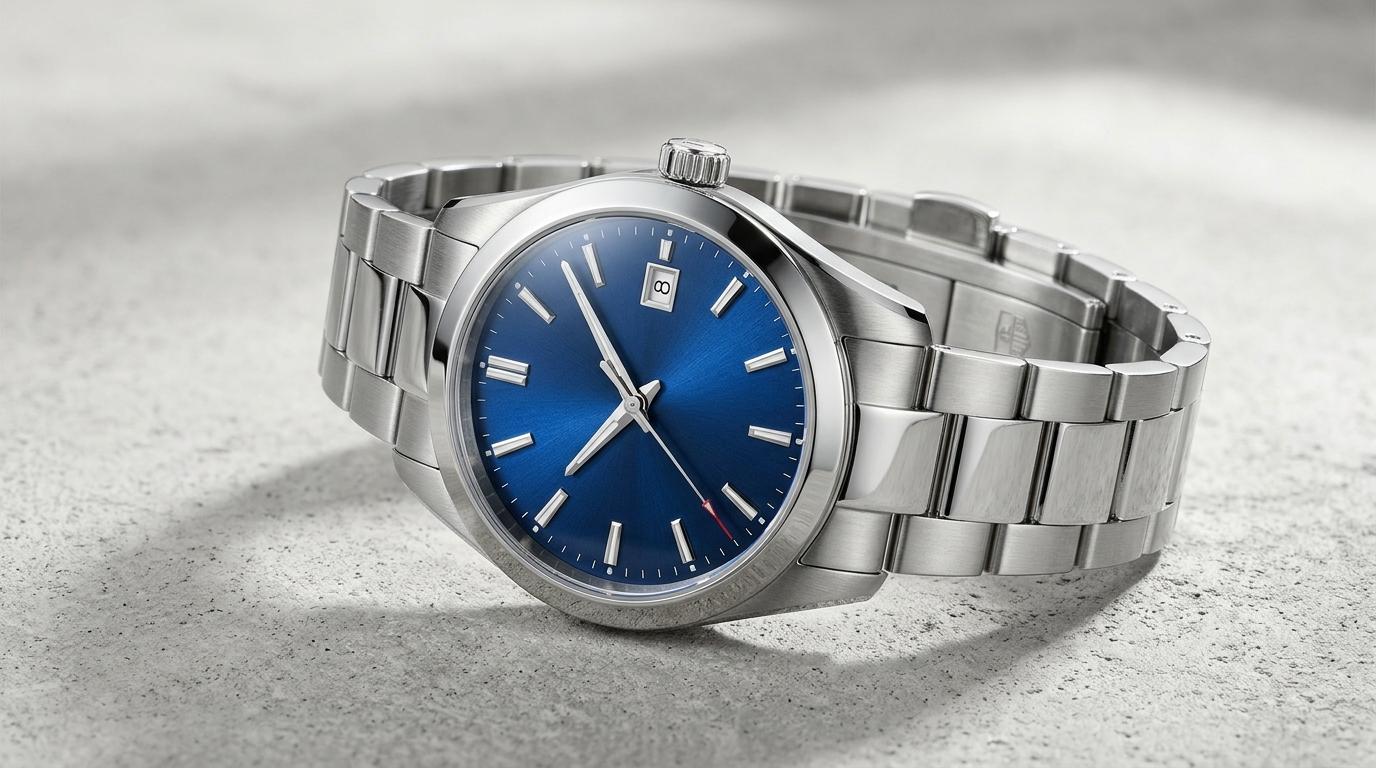
The Watch Photography Principle: Photographing a timepiece is one of the most technically demanding disciplines in commercial ecommerce. A single watch combines mirror-polished metal, glare-prone sapphire crystal, textured dials, and micro-mechanical details. Capturing compelling images is not about buying more gear—it is about controlling reflections, diffusing light sources, and establishing a consistent 8-photo gallery that reveals every facet of craftsmanship.
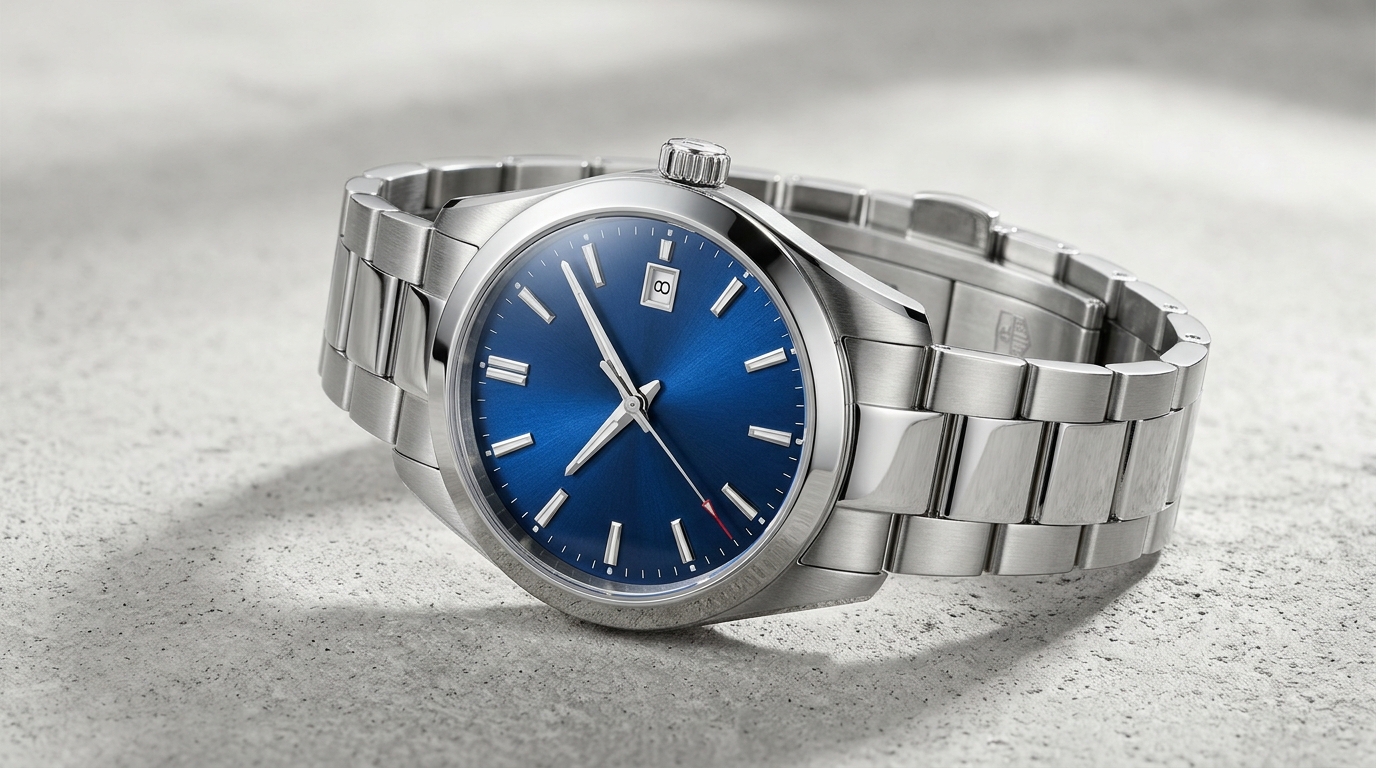 Luxury watch product photography on a clean seamless studio background with controlled crystal reflections and sharp dial details
Photographing a watch is not like photographing an ordinary ecommerce product. Its polished case reflects everything around it. Its crystal can produce distracting glare. Its dial contains tiny details that need to remain sharp, while its bracelet, strap, and finishing all contribute to the product's perceived quality.
For online watch retailers, these details matter. Customers cannot pick up a watch, examine its craftsmanship, or try it on before placing an order. Your product images must do much of that work for them.
Effective watch product photography combines technical precision with visual storytelling. You need clean studio images that accurately represent the watch, detailed close-ups that reveal its construction, and lifestyle photographs that help shoppers imagine wearing it.
Whether you sell affordable fashion watches, premium mechanical timepieces, luxury designs, or smartwatches, the right photography approach can make your product catalog look more professional and help customers make informed purchasing decisions.
In this guide, you will discover 12 practical watch photography tips, from controlling reflections and photographing different materials to building a complete ecommerce gallery and using AI to create additional product visuals.
Why Is Watch Product Photography So Challenging?
Watches combine several materials and surfaces in a relatively small space. A single product may include reflective metal, transparent glass, textured leather, ceramic, and an intricate dial. Each material interacts with light differently.
This creates several unique challenges for photographers:
- Reflective surfaces: Polished cases, bezels, and crystals reflect studio lights, camera lenses, and surrounding room objects.
- Small details: Hands, applied indices, micro-engravings, and dial textures require precise focus and adequate depth of field.
- Different materials: Stainless steel, gold-tone finishes, matte titanium, calfskin leather, and silicone rubber all demand distinct lighting approaches.
- Color accuracy: Dial colors (especially deep sunburst blues, emerald greens, and mother-of-pearl) must match the real-world timepiece under calibrated lighting.
- Product proportions: Shoppers need to understand the watch's case diameter, thickness, lug-to-lug distance, and realistic stance on the wrist.
The solution is not simply to buy a more expensive camera. A controlled setup, thoughtful positioning, and a disciplined photography workflow make a far greater difference.
12 Watch Product Photography Tips for Stunning Ecommerce Images
1. Prepare the Watch Before Every Photoshoot
Before setting up your camera, make sure the watch is perfectly clean. Small imperfections become particularly noticeable in close-up product photography. A single fingerprint on the crystal or a speck of dust between bracelet links can distract customers and undermine their perception of quality.
Start by preparing the product carefully:
- Clean the crystal and case with a fresh, high-density microfiber cloth.
- Remove fingerprints and oils from the bezel and polished bevels using lens cleaner or isopropyl alcohol wipes.
- Use a handheld silicone air blower to clear dust particles from the dial perimeter and bezel crevices.
- Clean the bracelet links, clasp mechanism, and strap stitching.
- Position the hands symmetrically (conventionally around 10:10) and ensure the second hand does not block the brand logo or date aperture.
- Inspect the watch under the exact shooting lights before taking the first exposure.
Preparation Checklist:
[ Microfiber Polish ] → [ Air Blower Blast ] → [ Set Hands to 10:10 ] → [ White Cotton Gloves ]
For traditional analog watches, positioning the hands around 10:10 creates a balanced, framing composition that leaves the brand logo at 12 o'clock and the date window at 3 or 6 o'clock unobstructed. Wear white lint-free cotton gloves when handling the watch to prevent accidental smudges during styling.
Pay particular attention to metal bracelets. Dust and fingerprints easily accumulate between links, which quickly shows up under macro lenses. A few minutes of disciplined preparation saves hours of tedious retouching in post-production.
2. Use Large, Diffused Light Sources to Photograph Watches
Lighting is the single most important factor in watch product photography. Unlike matte apparel or wooden items, watches contain surfaces that act like mirrors. A small, direct point light source will create harsh specular highlights, blown-out hotspots, and impenetrable dark shadows.
A large, heavily diffused light source is the foundation of high-end watch photography. A softbox with internal and external diffusion baffles, a diffusion panel (scrim), or a specialized translucent light tent softens light rays and creates smooth, continuous highlight gradients across curved metal cases.
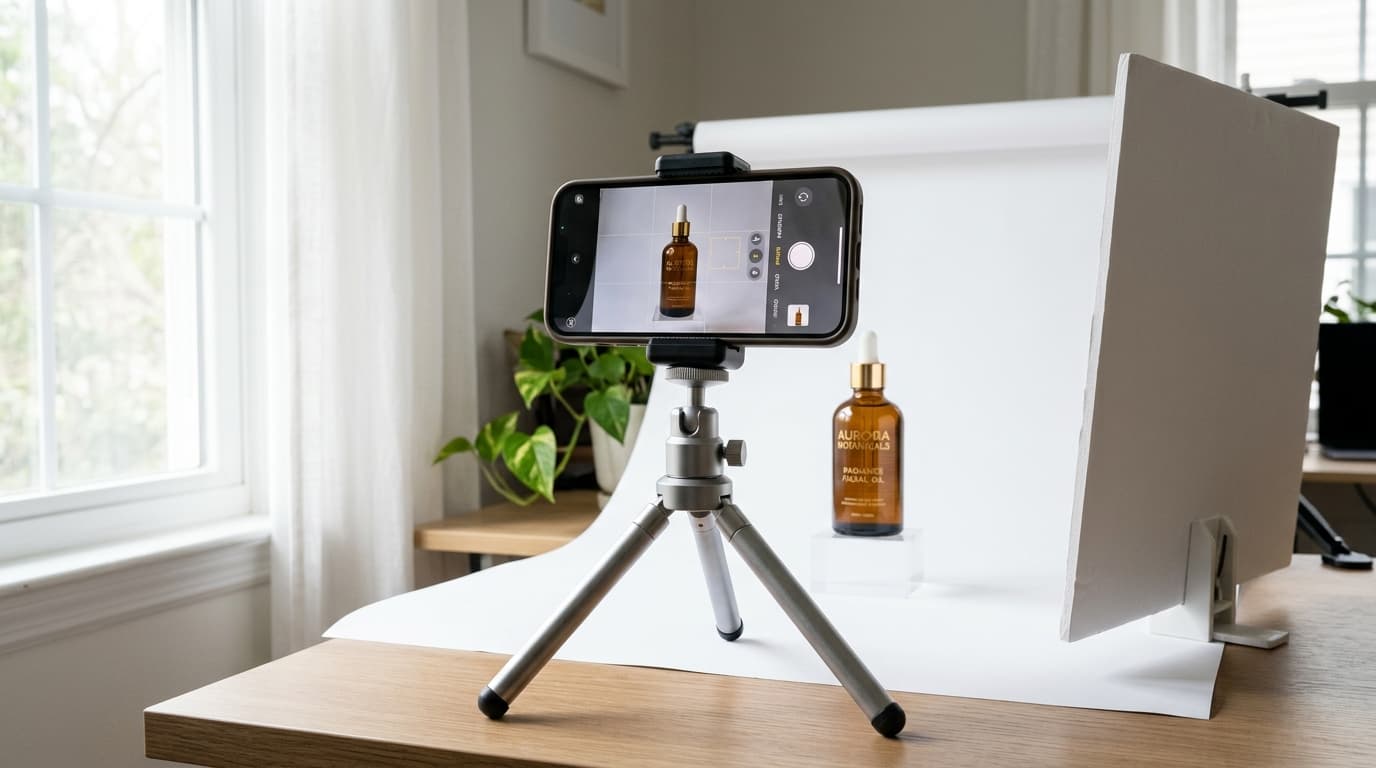
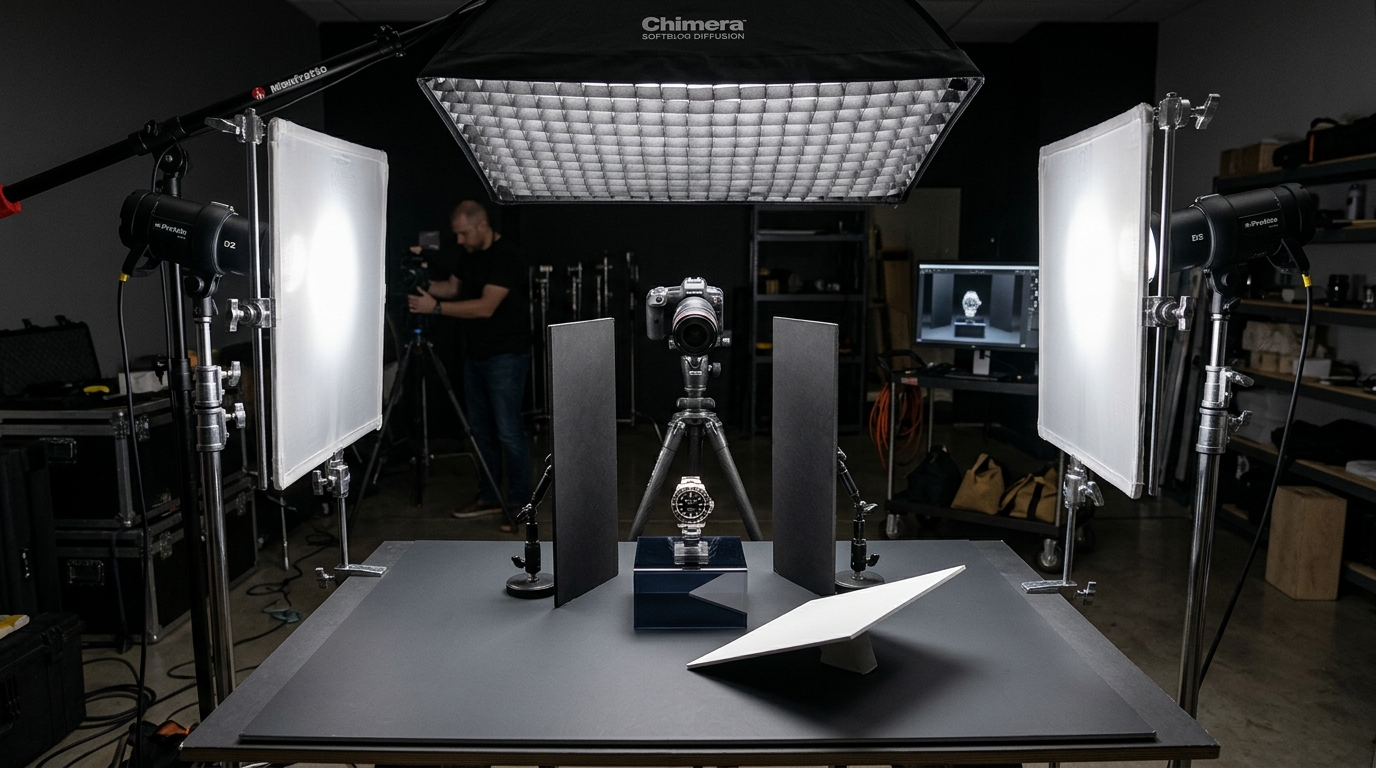 Behind-the-scenes watch product photography studio setup with overhead softbox, dual diffusion panels, black flags for reflection control, and camera on tripod
For a solid studio setup:
- Place the watch on a clean, sturdy tabletop or acrylic riser.
- Position a large diffused light source overhead or slightly to one side of the product.
- Use a white bounce card on the opposite side to gently fill dark shadows under the lugs and bracelet.
- Adjust the height and feathering of the light until the dial typography is clearly readable.
- Check reflections on the crystal and polished case in live-view mode before locking your focus.
Do not assume that brighter lighting produces better results. The goal is to produce controlled highlights that outline the geometric lines of the case without obscuring fine dial details.
(For detailed lighting gear recommendations and modifier setups, consult our complete Product Photography Lighting Guide.)
3. Control Reflections on Watch Crystals and Metal Cases
Reflections represent the primary technical hurdle in watch photography. The sapphire crystal, polished bezel, and metallic case mirror whatever sits directly opposite them—including your camera lens, tripod legs, and ceiling fixtures.
A common beginner mistake is attempting to eliminate all reflections. Doing so makes polished metal appear dull, flat, and plastic. Instead, the goal is to shape and control reflections so they define the watch's curvature and three-dimensional form.
Use white and black foam core cards strategically around the watch:
- White bounce cards: Introduce clean, bright reflections into darker metal surfaces and brighten shadowed dial segments.
- Black cards (flags): Absorb ambient bounce and create dark, crisp edge contours that define the watch silhouette against light backgrounds.
- Translucent diffusion scrims: Positioned between the lights and the watch to transform harsh glare into silky gradients.
- Light angle feathering: Angle the light slightly away from direct line-of-sight to prevent the crystal from bouncing light straight back into the lens.
When photographing a polished stainless steel watch, place a white card along the side of the case to produce a clean highlight along the flank. Then position a black card just outside camera view to carve a sharp outline along the lugs. Small, millimeter adjustments create dramatic improvements in image quality.
4. Adapt Your Lighting to the Watch Material
Different watch materials react to light in vastly different ways. Lighting designed for brushed titanium will wash out yellow gold, while lighting tuned for dark ceramic will underexpose a textured leather strap.
Adapt your lighting strategy according to the materials in each watch model:
| Watch Material | Photography Challenge | Recommended Studio Technique |
|---|---|---|
| Stainless Steel | Polished surfaces create distracting reflections and harsh glare | Use large diffused softboxes with black flags to delineate case edges and bracelet links |
| Yellow / Rose Gold | Highlights blow out easily and color tone shifts under poor light | Use warm, soft diffused light; verify white balance with a calibrated grey card |
| Matte Titanium | Subtle brushed textures disappear under flat, uniform lighting | Introduce gentle directional side lighting to reveal the bead-blasted or brushed grain |
| Leather Straps | Grain, patina, and contrast stitching become obscured in deep shadow | Use soft directional fill light and capture a dedicated macro close-up of the buckle |
| Rubber / Silicone | Dark surfaces lose definition or attract visible lint particles | Use a controlled rim highlight to carve out strap contour and clean thoroughly with air |
| High-Gloss Ceramic | Mirror-like finish produces intense specular pinpoints | Surround with curved diffusion scrims and carefully angled bounce cards |
The primary purpose of commercial lighting is to represent the material authentically. A matte sandblasted finish should look velvety, a brushed case should show its directional grain, and a polished bezel should gleam with clean, intentional lines.
5. Make the Watch Dial Sharp, Readable, and Color-Accurate
The dial is the centerpiece of any timepiece. It carries the manufacturer's logo, hour indices, hands, complications, and distinctive surface finishing. Shoppers evaluate the entire personality of the watch through the dial face.
Your primary product images must render every dial component with razor-sharp clarity:
- Black dials: Retain rich, deep blacks without losing dark hands or subtle sub-dial registers in murky shadows.
- White & silver dials: Expose carefully to prevent blown-out highlights that wash away minute tracks and embossed dial patterns.
- Sunburst & blue dials: Lock manual white balance at 5500K daylight. Blue dials are notoriously prone to shifting toward purple or teal under uncalibrated studio lights.
- Mother-of-pearl dials: Use subtle directional lighting to reveal iridescent color play without producing blinding reflections.
- Textured & guilloché dials: Employ raking side light across the dial surface to cast micro-shadows that highlight relief patterns.
Inspect the dial at 100% zoom. The brand logo, applied markers, luminous hand inserts, and date numeral must be crisp and legible across every hero image.
6. Use Macro Photography to Reveal the Details
Macro photography allows you to capture craftsmanship that standard product views cannot show. In horology, perceived value lives in the micro-details: the chamfered edge of a hand, the crisp font of a date wheel, or the concentric circles of a chronograph subdial.
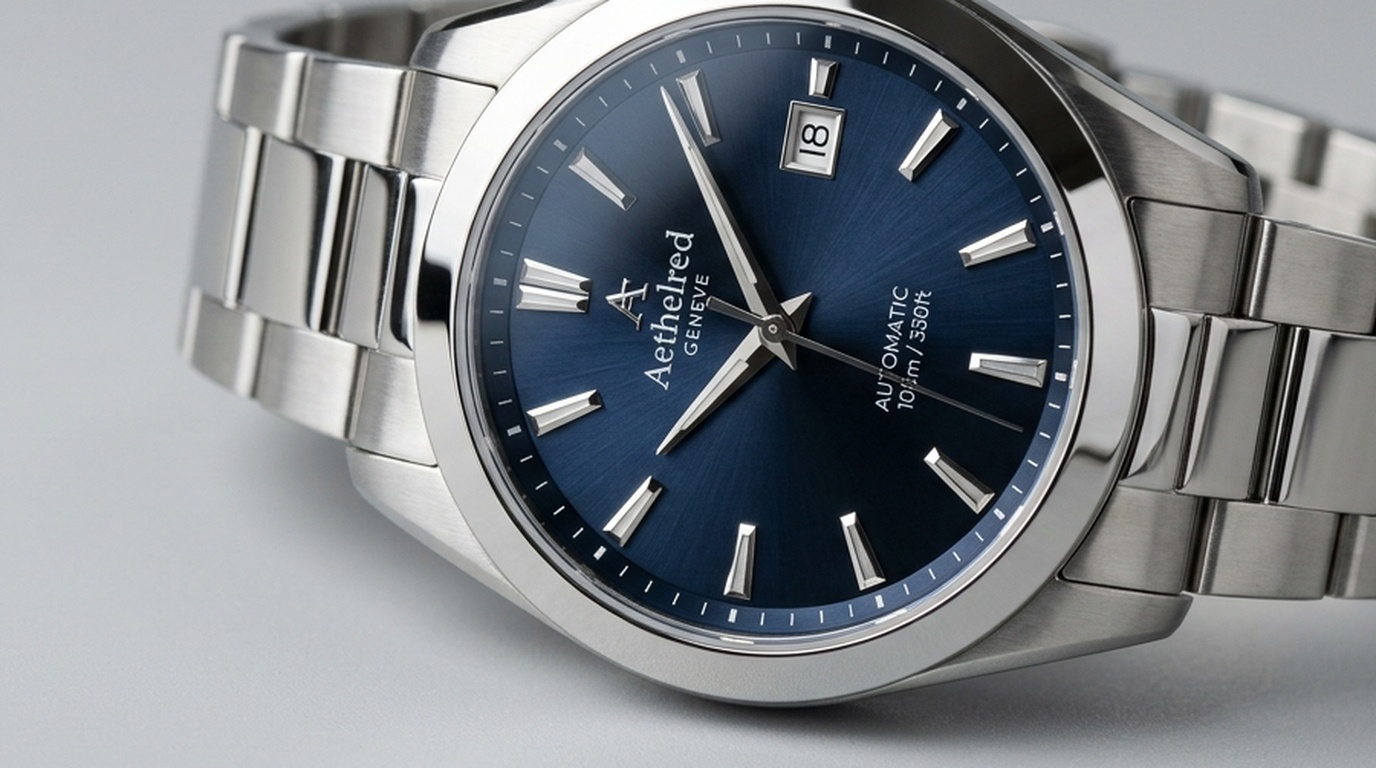 Macro close-up watch product photography capturing sharp dial texture, applied indices, polished hands at 10:10, and beveled sapphire crystal
Essential macro close-ups to include:
- Applied hour markers and dial texture (sunburst, tapisserie, or enamel).
- Polished, brushed, or blued watch hands.
- Fluted or knurled crown with embossed brand emblems.
- Rotating bezel markings and ceramic insert numerals.
- Bracelet link articulation and deployant clasp mechanisms.
- Hand-stitched leather strap edges and buckle engravings.
- Exhibition sapphire caseback revealing the mechanical movement, rotor, and Geneva stripes.
At macro magnifications, depth of field is extremely shallow. Parts of the dial may be razor-sharp while the hands or crystal bevels blur. Shoot at smaller apertures (such as f/8 to f/11) to balance sharpness without introducing diffraction softening.
For absolute edge-to-edge sharpness across the entire watch face, professional studios use focus stacking—capturing 5 to 15 images at incrementally shifted focus distances and merging them in editing software.
(Don't have an expensive macro lens? Read our practical tutorial on How to Photograph Jewelry Without a Macro Lens for proven close-up techniques.)
7. Photograph the Watch From Multiple Angles
A single front-facing packshot gives an essential first impression, but it cannot communicate the physical thickness, lug taper, or bracelet curvature. Shoppers need multiple complementary angles to visualize wearing the watch.
Build a cohesive angle set using this structured framework:
| Camera Angle | Key Features to Highlight | Customer Reassurance |
|---|---|---|
| Direct Front View | Dial layout, hands, logo, date window, and bezel | Clear, distraction-free first impression in search feeds |
| Three-Quarter Angle | Case depth, crystal dome, lug integration, and bracelet flow | Visualizes three-dimensional curvature and proportions |
| Side Profile View | Case thickness, crystal height, crown guards, and pushers | Shows whether the watch fits comfortably under a shirt cuff |
| Caseback View | Exhibition movement, case engravings, and serial markings | Proves mechanical authenticity and build craftsmanship |
| Bracelet / Clasp Detail | Clasp mechanism, micro-adjustments, and link finishing | Confirms comfort, security, and strap quality |
| On-Wrist Perspective | Proportions relative to wrist width and hand anatomy | Provides an intuitive sense of real-world scale and presence |
Select angles tailored to each timepiece's standout features. A chronograph with dual pushers benefits from a side view, while a skeletonized automatic watch demands an unobstructed caseback photograph.
8. Choose the Right Background for Your Watch
Your choice of background sets the tone for your product catalog. It can frame a watch as modern and technical, classical and refined, or rugged and sporty.
For primary ecommerce listings and marketplace feeds (Amazon, Google Shopping, Shopify), a pure white (#FFFFFF) or light neutral sweep is the undisputed standard. It eliminates visual clutter, keeps complete focus on the watch, and maintains seamless catalog browsing.
For secondary lifestyle and editorial images, select complementary surfaces:
- Dark slate or matte black stone: Dramatic, high-contrast presentation ideal for luxury dress watches and dive watches.
- Brushed aluminum or carbon fiber: Accentuates modern, industrial, or racing-inspired chronographs.
- Warm hardwood or walnut: Adds heritage warmth, pairing naturally with field watches and leather straps.
- Top-grain leather surfaces: Reinforces bespoke craftsmanship and traditional leather goods.
- Neutral linen or architectural concrete: Soft, contemporary look suited to minimalist Scandinavian designs.
Beware of glossy backgrounds. A reflective marble or glass surface can bounce distracting highlights back into the watch crystal. Always keep background props secondary so the watch remains the hero.
9. Create Lifestyle and On-Wrist Watch Photography
Studio packshots provide rational inspection; lifestyle photographs deliver emotional aspiration. An on-wrist photograph answers the shopper's most urgent question: "How will this look on my wrist?"
Wrist shots communicate real-world scale, case thickness, and lug overhang far more effectively than millimeter dimensions in a spec sheet.
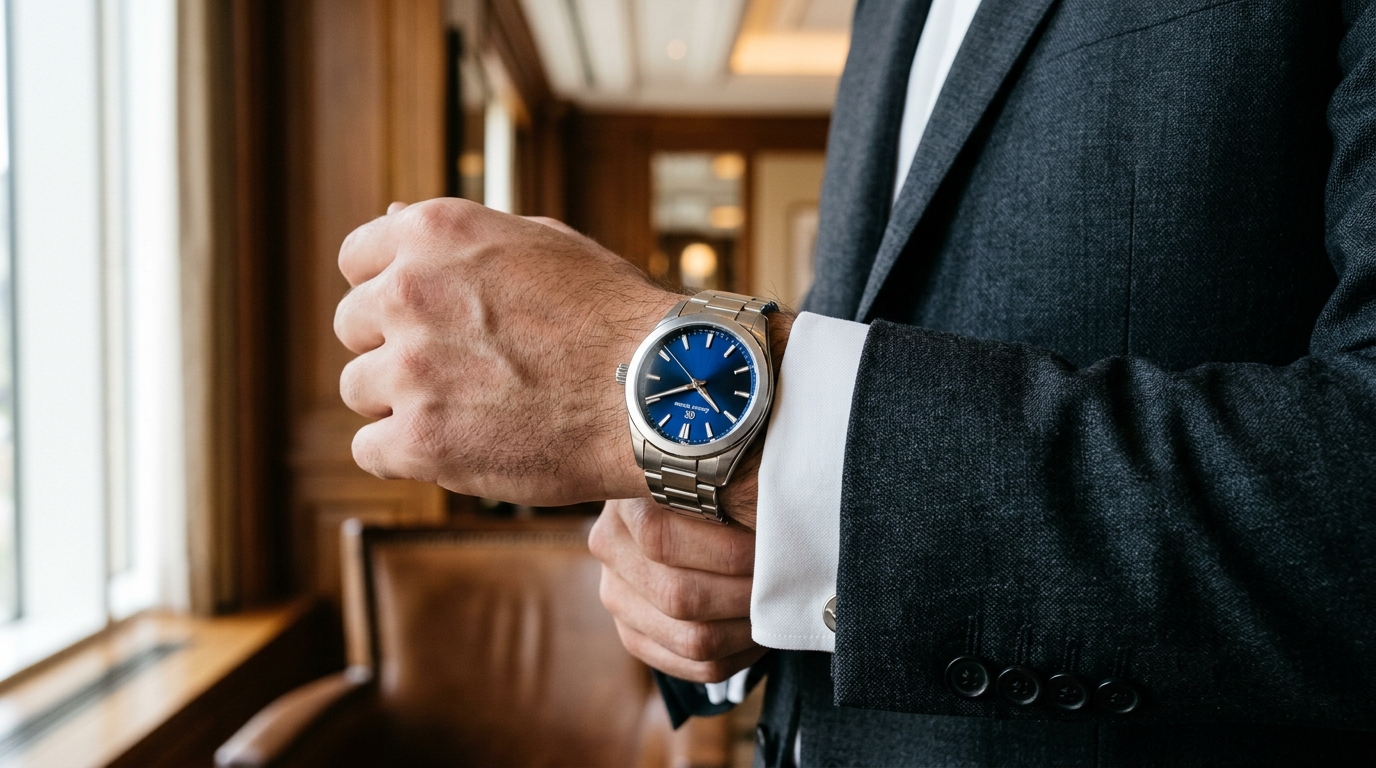 Luxury stainless steel watch with deep blue dial worn on wrist with tailored charcoal suit and white cuff in natural light
Style the lifestyle setting to complement the watch's intended environment:
- Classic dress watch: Paired with a tailored wool blazer, crisp French-cuff dress shirt, and refined desk accessories.
- Dive or sports watch: Outdoor marine setting, wet granite rock, technical outerwear, or active lifestyle environments.
- Everyday minimalist watch: Casual knitwear, raw denim, coffee cup, or clean urban architectural surroundings.
- Luxury chronograph: Polished automotive dashboard, leather driving gloves, or evening lounge aesthetic.
Ensure the watch remains unobstructed. Avoid long jacket sleeves that cover the crown or awkward wrist angles that conceal the bracelet. Include varied wrist sizes and styling contexts across your collection so all shoppers can visualize their purchase.
10. Retouch Watch Images Without Misrepresenting the Product
Post-production is an essential phase of commercial watch photography. It eliminates dust specks, evens out exposure, and balances color across product variants. However, editing should never alter the fundamental physical reality of the timepiece.
Acceptable ecommerce retouching steps:
- Spot-heal microscopic dust specks, lint, and stray fingerprints.
- Neutralize minor color casts introduced by ambient room reflections.
- Enhance micro-contrast on the dial to improve typography legibility.
- Clean the background to pure uniform
#FFFFFFor consistent studio grey. - Crop to standard 1:1 square or 4:5 vertical ecommerce ratios.
Unacceptable edits that lead to product returns:
- Digitally saturating dial hues beyond their real-world appearance.
- Smoothing away authentic brushed metal grain to mimic chrome polish.
- Retouching case thickness or altering lug curvature.
- Erasing functional screws, pins, or date apertures.
Ecommerce accuracy builds lasting customer trust. Shoppers should unbox a timepiece that perfectly matches the photographs they studied online.
11. Build a Consistent Ecommerce Watch Photography Gallery
One of the most frequent mistakes made by growing watch brands is treating each photoshoot as an independent project. A store may have individually stunning photographs that clash discordantly when displayed side-by-side on a collection grid.
Establish a rigid Style Guide for your entire watch catalog:
- Fixed camera elevation: Maintain consistent 15-degree or 30-degree camera angles across all hero packshots.
- Standardized hand position: Lock analog hands to 10:10 across every model.
- Uniform crop margins: Keep the watch case occupying 70% to 75% of the total frame height.
- Color-calibrated white balance: Standardize on 5500K daylight across all SKUs.
- Gallery image sequence: Arrange product images in an identical order on every product page.
Consistency allows shoppers to compare case diameters, bezel colors, and bracelet options effortlessly, creating a cohesive, high-end shopping experience.
12. Optimize Watch Product Images for Ecommerce
After capturing and retouching your photographs, prepare the digital files for optimal web delivery. High-resolution files that load slowly drive visitors away, while overly compressed images make fine indices and typography look blurry.
Follow these web optimization standards:
- Dimensions: Export primary product images at 2000 × 2000 pixels (1:1) or 1600 × 2000 pixels (4:5) for smooth zoom functionality.
- Next-gen formats: Serve WebP or AVIF formats for 30% to 50% smaller file sizes without visible compression artifacts.
- Descriptive filenames: Replace camera defaults (
IMG_4021.jpg) with SEO-rich names such asmens-automatic-diver-blue-dial-front-view.webp. - Meaningful alt text: Write precise descriptive text for accessibility and image search indexing:
<img
  src="/images/products/mens-automatic-diver-blue-dial-front-view.webp"
  alt="Men's stainless steel automatic dive watch with sunburst blue dial and link bracelet photographed from the front"
/>
Keep your uncompressed TIFF or master PSD files securely archived so you can re-export new crops or formats as marketplace guidelines evolve.
The Ideal 8-Photo Gallery for a Watch Product Page
How many photographs does a watch product page need? An 8-image gallery provides the ideal balance between thorough technical inspection and aspirational lifestyle storytelling.
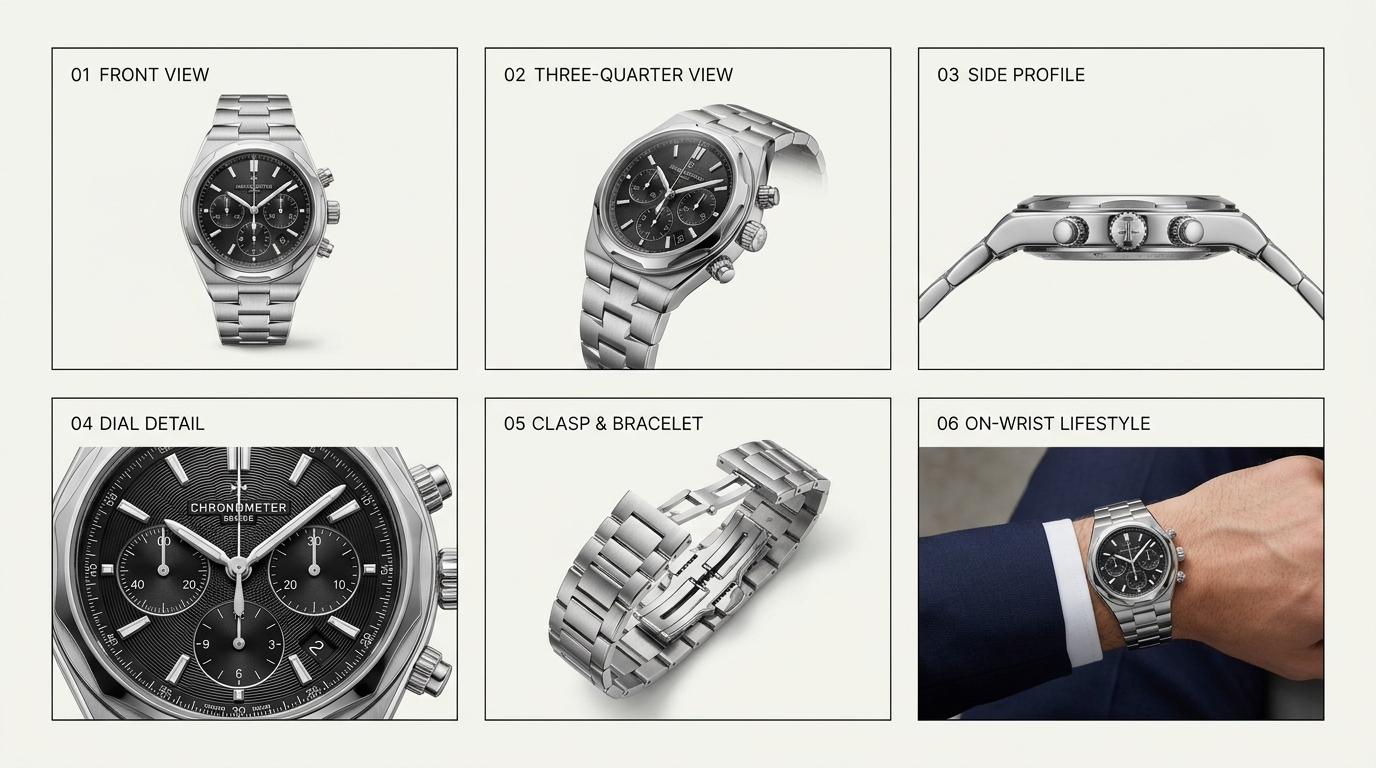 The essential watch ecommerce photography gallery system displaying front view, three-quarter angle, side profile, dial macro, clasp detail, and on-wrist lifestyle context
[ 1. Hero Front ] → [ 2. 3/4 Dimensional ] → [ 3. Dial Macro ] → [ 4. Side Profile ]
       ↓
[ 5. Clasp / Links ] → [ 6. Caseback View ] → [ 7. On-Wrist Fit ] → [ 8. Lifestyle Scene ]
- Image 1 – Main Front Packshot: Direct front view against pure white or soft light grey. The anchor image for Google Shopping, catalog feeds, and search listings.
- Image 2 – Three-Quarter Dimensional View: Tilted 30 to 45 degrees to reveal case depth, bezel facets, and bracelet integration.
- Image 3 – Macro Dial Close-Up: Extreme macro shot showcasing applied hour markers, hand chamfers, date window, and fine dial finishing.
- Image 4 – Side Profile View: Straight horizontal profile displaying case thickness, crown profile, and lug curvature.
- Image 5 – Bracelet / Strap & Clasp: Detailed view of the link construction, deployant clasp, or leather edge stitching.
- Image 6 – Caseback & Movement: Rear view featuring exhibition sapphire crystal, automatic winding rotor, or engraved hallmarks.
- Image 7 – On-Wrist Scale Photograph: Captured on a model's wrist to give an immediate, intuitive sense of diameter, thickness, and fit.
- Image 8 – Editorial Lifestyle Scene: An aspirational environmental photograph placing the watch in its intended aesthetic setting (office, travel, or sport).
This structured sequence guides shoppers smoothly from rational specification checks to emotional purchase confidence.
How AI Can Help Create Watch Product Photography
Producing a full suite of editorial lifestyle imagery for every watch reference can place severe strain on production schedules and budgets. Organizing multiple physical locations, booking models, and transporting high-value inventory for seasonal campaigns can cost thousands of dollars per SKU.
AI-assisted product photography introduces a high-efficiency hybrid workflow. By starting with a clean physical studio packshot, brands can generate realistic lifestyle backgrounds and seasonal campaign visuals in minutes.
[ Physical Studio Capture ]
            ↓
[ Clean Hero Packshot on White/Neutral Sweep ]
            ↓
[ Inspect Dial Textures, Indices, Hands & Bezel Accuracy ]
            ↓
[ Ingest into Shotinger AI Product Studio ]
            ↓
[ Generate Marble Plinths, Architectural Shadows & Lifestyle Scenes ]
1. Create Alternative Product Backgrounds
A watch photographed against a clean studio sweep can be placed into diverse virtual environments—from sunlit travertine stone plinths to minimalist walnut vanity desks—without organizing separate photoshoots.
2. Produce Lifestyle Marketing Concepts
Generate high-converting creative variations for Instagram ads, email newsletters, and seasonal banners while keeping production agile and cost-effective.
3. Explore Multiple Campaign Themes
Test how your timepiece performs in distinct aesthetic contexts: high-contrast dark luxury for evening campaigns, breezy morning daylight for summer collections, or technical carbon backdrops for sport models.
4. Preserve Product Accuracy
Because watches contain micro-typography, precise hand alignments, and complex indices, preserving 100% product fidelity is paramount. AI generation must never distort the dial, invent fictitious complications, or alter case geometry.
Before publishing AI-generated lifestyle visuals, systematically verify:
- Exact dial typography and brand logo sharpness.
- Hand position and accurate index count.
- Flawless case bevels, bezel markings, and crown shape.
- Authentic bracelet link architecture and clasp contours.
For ecommerce watch brands looking to scale their creative assets while maintaining uncompromising product fidelity, Shotinger AI Product Studio enables you to transform studio packshots into realistic, high-converting lifestyle scenes in seconds.
Common Watch Photography Mistakes to Avoid
Avoid these frequent pitfalls that detract from watch image quality:
- Harsh point lighting: Creates blinding hotspots on the crystal and obscures dial markers. Always use large diffusion modifiers.
- Ignoring crystal reflections: Glare that hides the brand logo or hands immediately degrades customer trust.
- Inaccurate white balance: Mixed lighting causes blue dials to appear purple and alters subtle gold metal tones.
- Photographing only from the front: Omitting side profile and clasp images leaves buyers guessing about case thickness and fit.
- Excessive props: Cluttered backgrounds distract from the watch. Keep decorative elements understated and secondary.
- Over-retouching: Erasing genuine metal brushing or oversaturating dial colors leads to customer dissatisfaction and returns.
- Neglecting macro details: Skipping close-up views hides the intricate craftsmanship that justifies premium price points.
- Inconsistent catalog styling: Random camera angles and fluctuating crops make store collection grids look unprofessional.
- Uploading massive uncompressed files: High-resolution uncompressed JPEGs hurt page load speed and mobile search rankings.
Frequently Asked Questions About Watch Product Photography
What is the best lighting for watch product photography?
Large, diffused light sources are essential. A softbox with double diffusion baffles or a translucent diffusion scrim panel creates soft, gradual highlights across polished cases. Pair this with black flags on either side to outline metal contours and a white bounce card below the lens to illuminate dial details.
How do you photograph a watch without crystal reflections?
You cannot eliminate reflections entirely without making the crystal look artificial. Instead, angle your lights 45 degrees away from the camera axis, position black reflection cards outside the frame to absorb stray bounce, and use a circular polarizing filter (CPL) on your lens to cut unwanted glare.
What camera lens is best for watch photography?
A dedicated macro lens between 90mm and 105mm (full-frame equivalent) is the industry standard. It provides a comfortable working distance of 3 to 5 feet, prevents wide-angle barrel distortion, and allows 1:1 reproduction of tiny dial indices and engravings.
How do you photograph a black watch?
Black PVD, DLC-coated, and matte ceramic watches require edge-defining rim lighting. Position soft stripboxes behind and to the sides of the watch to create clean highlights along the case silhouette, and place white reflector cards in front to keep the black dial legible without turning it grey.
What background is best for watch product photography?
A pure white (#FFFFFF) or light neutral studio sweep is best for primary product listing packshots. For editorial and lifestyle imagery, dark slate, honed marble, rich walnut, and top-grain leather provide sophisticated, complementary textures that enhance luxury appeal.
How many pictures should a watch product page have?
An 8-image gallery provides comprehensive visual coverage: front hero view, three-quarter perspective, macro dial close-up, side profile thickness, bracelet/clasp detail, caseback view, on-wrist scale shot, and an editorial lifestyle image.
Can AI generate watch product photos?
Yes. AI tools like Shotinger Product Studio can place clean physical packshots into photorealistic lifestyle scenes and campaign environments. However, the physical watch—its dial, indices, logo, and case—must always remain 100% faithful to the real-world product.
Final Thoughts: Make Every Watch Image Count
Great watch product photography is not merely about making a timepiece look pretty. It is about communicating craftsmanship, precision engineering, case proportions, and material quality with complete visual clarity.
Start with a spotless watch and controlled diffused lighting. Learn to shape reflections with black and white cards, adapt your modifiers to different metals, and capture macro close-ups that reveal fine horological details. Then assemble a consistent 8-photo gallery that satisfies every customer question from specification to emotional styling.
Whether you shoot in a traditional commercial studio or leverage AI-assisted tools to scale your marketing creatives, a disciplined visual strategy elevates your catalog, builds buyer confidence, and accelerates ecommerce growth.
Ready to turn your watch packshots into luxury editorial campaigns?
Generate realistic lifestyle scenes, marble plinths, and atmospheric editorial settings from your clean product photos in seconds.
Explore Shotinger Product Studio →
Start creating campaign-ready product visuals
Transform flat lays, packshots, and jewelry photos into photorealistic on-model imagery in under 60 seconds.