Fashion & Apparel Brands
Bring collection imagery to life without adding another video production day.

Create HD fashion videos with Shotinger AI. Upload an on-model fashion photo, choose how you want the model to move, and turn a static image into dynamic video content for product pages, campaigns, ads, and social - without filming a new video shoot.
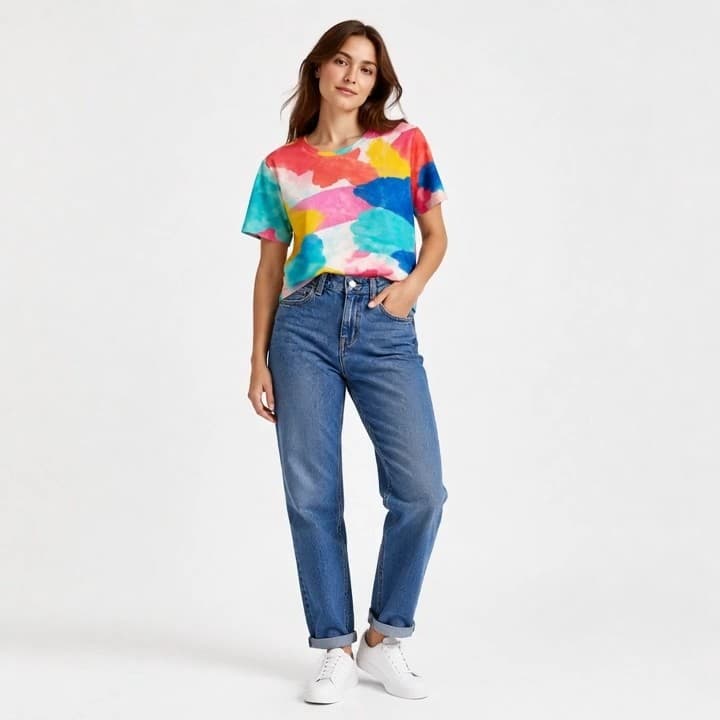
How to Use AI Video Motion
Start with an on-model image of the garment you want to animate.
Select from the available pose and animation styles to define how the AI model moves.
Shotinger animates the model and turns the static image into a polished fashion video.
Engineered specifically for ecommerce brands, sellers, and creators who need consistent commercial visuals without physical shoot days.
Choose from different available pose and animation options depending on how you want the AI model to move.
Select the movement direction that best fits the fashion image and the video you want to create.
EfficiencyTurn an existing on-model fashion photo into video without filming the model again.
Generate the final fashion video in HD for ecommerce and marketing content.
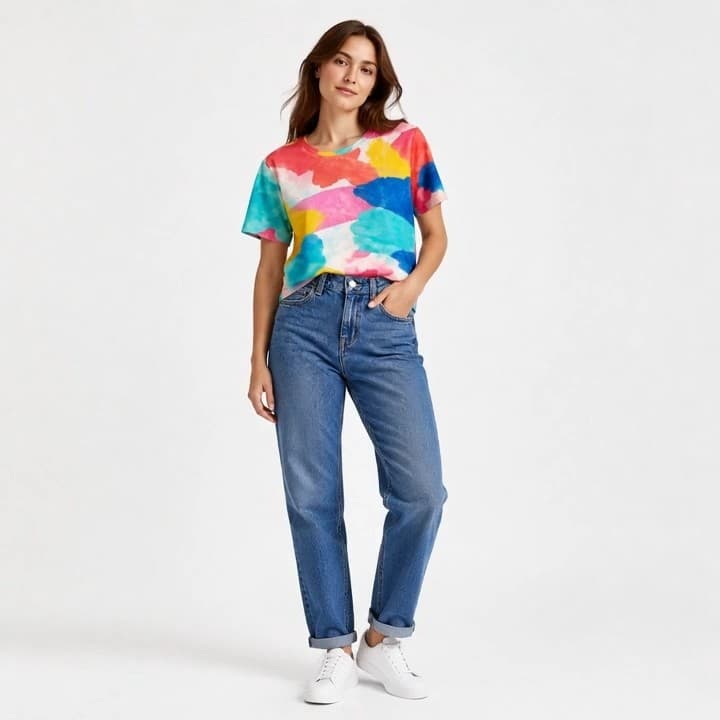 Asset Reuse
Use model photos you already have as the starting point for new fashion video assets.
Apparel FocusCreate motion from on-model fashion imagery through a workflow focused on garments and fashion models.
Engineered for DTC brands, merchants, and creative teams scaling visual production.
Bring collection imagery to life without adding another video production day.
Create motion assets around new drops, colorways, launches, and seasonal collections.
Add movement to product storytelling and ecommerce content from existing model photography.
Turn static model images into more dynamic fashion content for TikTok, Reels, and social campaigns.
Create multiple video directions from existing client fashion imagery.
Generate more video variations for launches, ads, campaigns, and ongoing content.
Traditional fashion video means thousands of dollars, production days, models, crews, equipment, and scheduling. Shotinger turns an existing fashion photo into HD video - without organizing another shoot.
High upfront budget, complex logistics & multi-week scheduling.
Instant high-fidelity commercial photography directly from your browser.
Everything you need to evaluate Shotinger and start creating.
An AI fashion video generator turns static fashion imagery into video using artificial intelligence. Shotinger focuses on animating on-model fashion photos.
Upload an on-model fashion image, choose an available movement option, and generate an HD video from the source photo.
Yes. Shotinger offers multiple available pose and animation options so you can choose the type of movement before generating the video.
Start with a clear on-model fashion image showing the garment and model you want to animate.
Shotinger AI Video Motion generates the final video in HD.
Yes. You can choose different available movements to create different video versions from the same source image.
They can support ecommerce product presentation, launches, social content, ads, and fashion campaigns.
In-depth production guides and competitor benchmarks to help you evaluate commercial quality, ROI, and workflow speed.
How DTC clothing brands use virtual AI models to display apparel across body types, skin tones, and locations without booking physical shoots.
A data-backed comparison of Shotinger and Photta for ecommerce apparel, jewelry, and commercial product photography.
Start with free Studio Credits. No card required. No video crew, no studio, no edit suite.