Quick Answer: On-model earring photos help online shoppers immediately understand scale, placement, and how a piece looks when worn. For high-converting ecommerce jewelry stores, the most effective strategy is to combine clean product packshots on white with on-model reference images, macro detail close-ups, and useful secondary angles.
Jewelry is an inherently small, tactile product category, and that makes visual merchandising unusually challenging online. A standalone packshot can display an exquisite earring design but still leave the shopper wondering: How large will it actually look in person? Where does it sit on the earlobe? Will it feel subtle or dramatic?
That is the primary job of showing earrings on models. By presenting the jewelry on a real ear, you establish an instant, intuitive benchmark for proportion, drop length, and wearability.
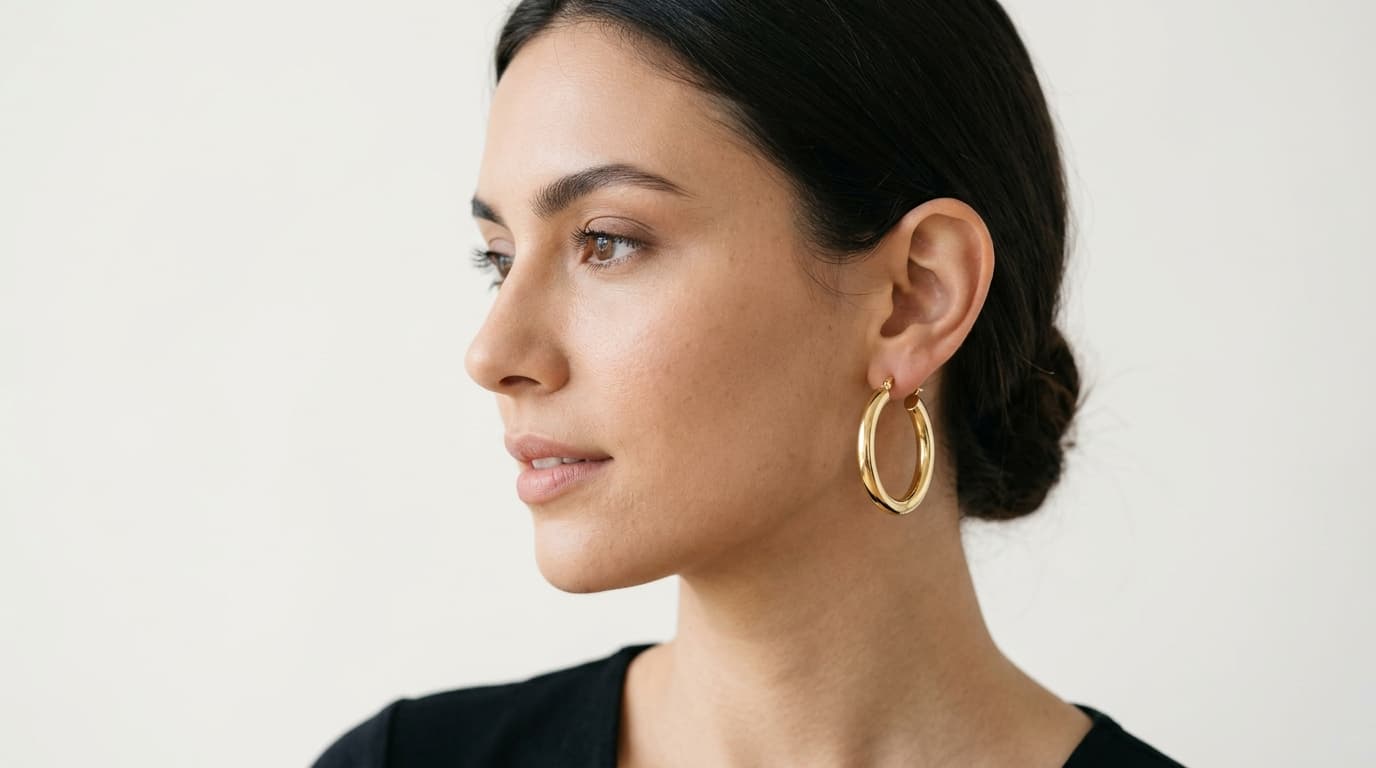
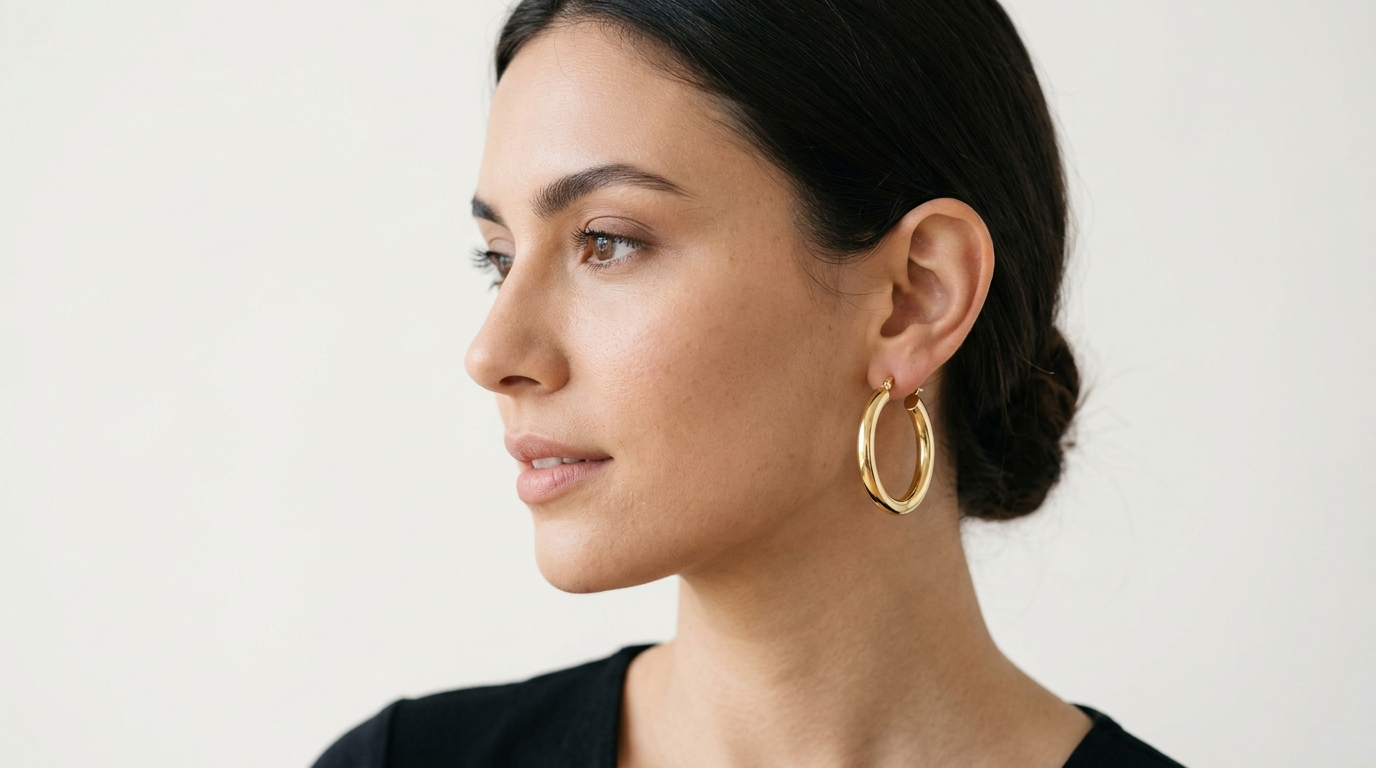 Close-up three-quarter on-model earring photography showing scale and placement
Why earrings on models matter for e-commerce
When shopping for jewelry online, customers cannot pick up a piece, hold it against their face, or look in a mirror. Without an intuitive point of reference, buying decisions stall, cart abandonment increases, and return rates climb due to mismatched size expectations.
Showing earrings worn on a model delivers three crucial commercial advantages:
- Instant scale comprehension: Eliminates guesswork around millimeter measurements that many shoppers struggle to visualize.
- Clear placement and drop: Demonstrates exactly where the post sits, how the hoop curves under the lobe, or where a drop earring reaches relative to the jawline.
- Styling and human context: Helps shoppers envision how the piece coordinates with hair colors, skin tones, and everyday or evening aesthetics.
For an ecommerce jewelry brand, the goal is not to choose between product photography and on-model photography. The most successful jewelry galleries deploy both formats collaboratively.
What should an on-model earring photo communicate?
Unlike fashion editorial photography, ecommerce jewelry imagery exists to convert shoppers, not showcase runway styling. An effective on-model earring image should clearly communicate five distinct attributes:
- Scale: Make the true physical size obvious against familiar facial features.
- Placement: Reveal exactly where the earring attaches and how it hangs or hugs the ear.
- Shape: Ensure the hoop diameter, stud silhouette, huggie curvature, or drop structure is crisp and recognizable.
- Material integrity: Accurately represent the lustre of yellow gold, cool sheen of silver, facet reflections of diamonds, and colors of gemstones.
- Style harmony: Illustrate how the piece complements facial proportions without the model distracting from the merchandise.
Merchandising Tip: The model should support the product rather than compete with it. Simple styling, neutral makeup, clean grooming, and hair neatly tucked behind the ear consistently outperform busy editorial portraits in ecommerce conversion tests.
The e-commerce earring images worth creating
A well-structured product gallery should give every image a distinct visual assignment. High-converting jewelry listings typically combine these five core assets:
| Image Role | Primary Shopping Function | Best Angle / Setup |
|---|---|---|
| Product-Only Packshot | Uncluttered reference of craftsmanship and construction | Isolated on pure white or soft neutral surface |
| On-Model Placement | Direct visual explanation of scale and wearability | Three-quarter view with hair pulled back |
| Macro Close-Up | Highlights stone facets, pavé settings, and metal hallmarks | High-magnification macro view with diffused lighting |
| Secondary Angle | Shows hoop thickness, backing closure, or drop movement | Profile view (90-degree side angle) |
| Contextual Lifestyle | Creates emotional appeal and outfit pairing inspiration | Natural daylight or curated editorial environment |
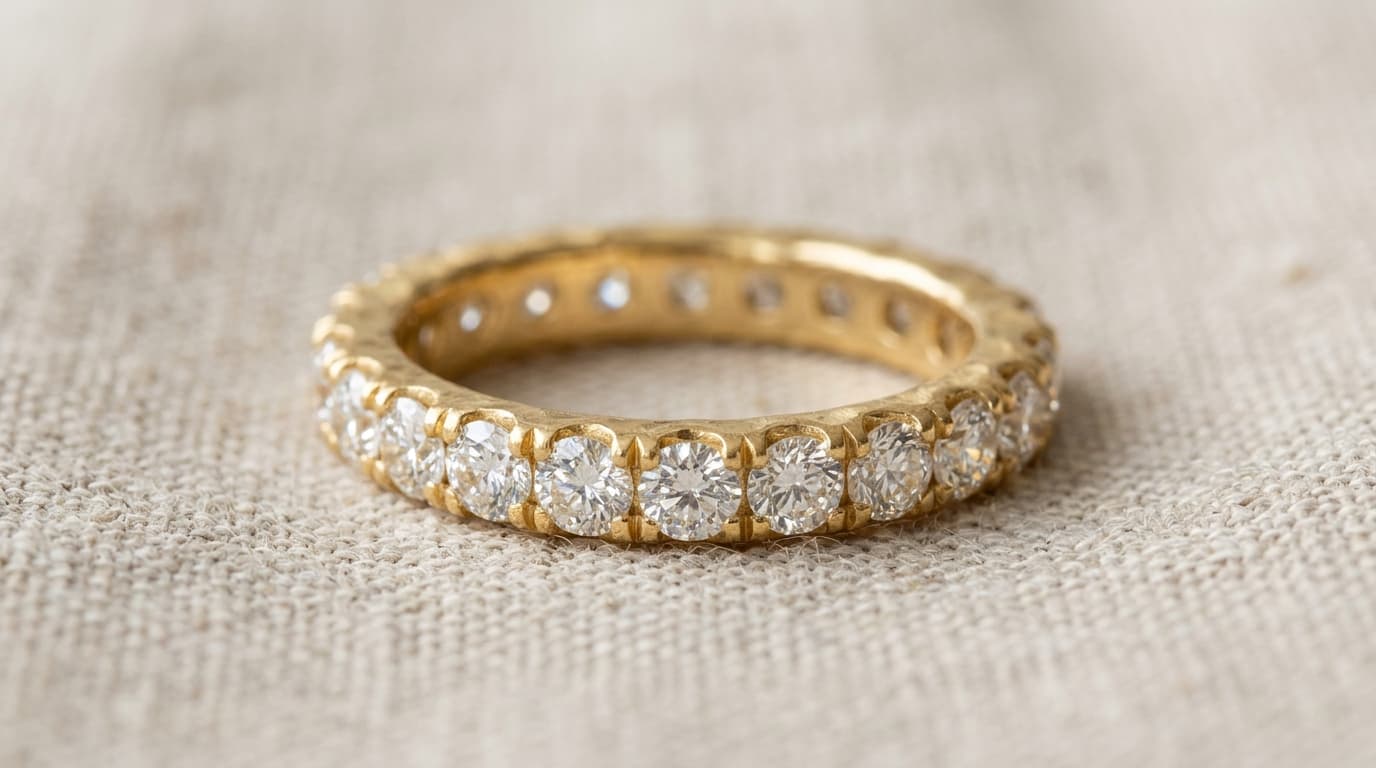
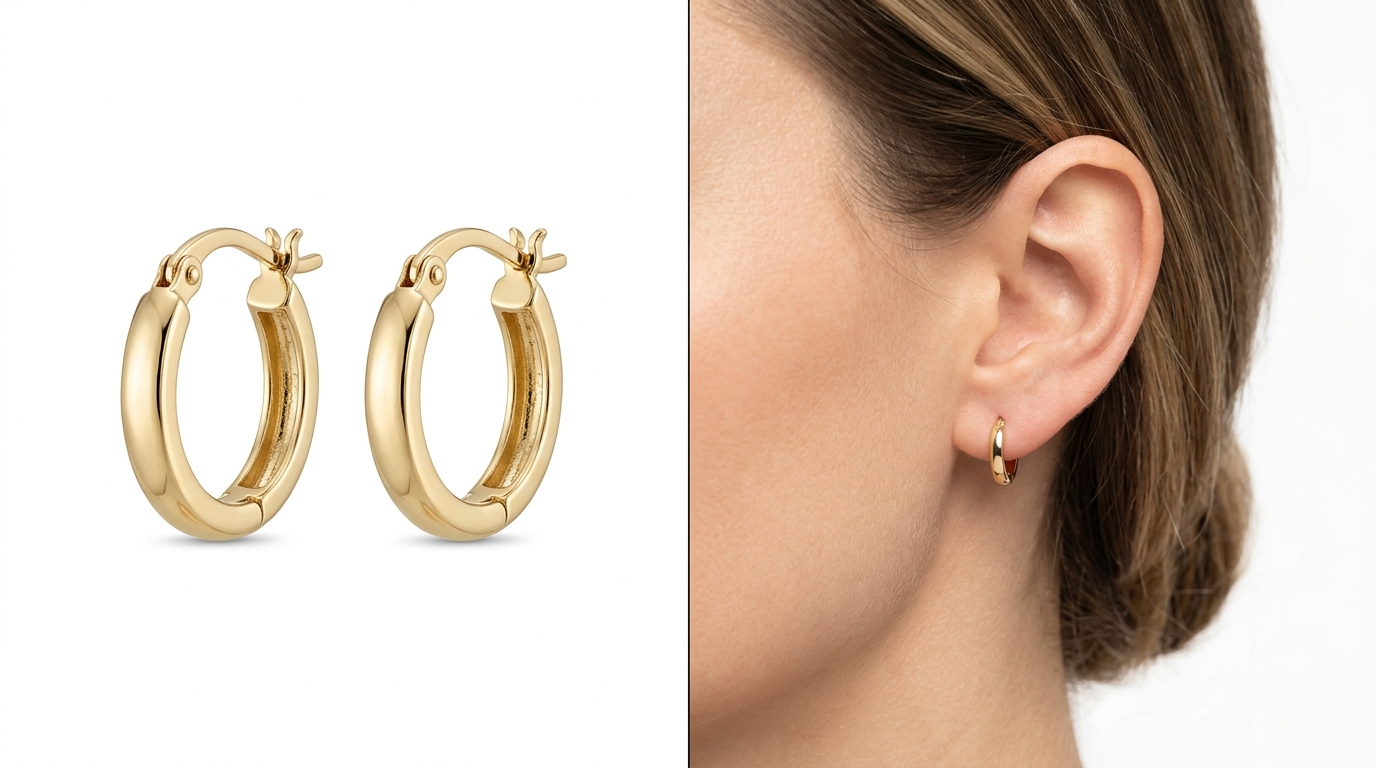 Clean product packshot vs on-model earring scale demonstration
How to photograph earrings on models
Whether organizing a traditional studio shoot or directing an AI-assisted jewelry pipeline, follow these six core photographic principles:
1. Start with the real product
Clean the jewelry thoroughly using a lint-free microfiber cloth and jewelry cleaner. Fingerprints, micro-scratches, and dust specks become glaringly obvious under high magnification. Product accuracy starts with a flawless physical specimen.
2. Choose the right angle
Front-facing portraits often cause earrings to appear edge-on or compressed. Three-quarter and profile angles are significantly more effective because they showcase the full diameter of hoops, the drop length of chandeliers, and how studs sit flush on the lobe.
3. Keep the ear completely visible
Always pull hair neatly behind the ear or style it in a clean updo. Even stray strands of hair across an earring can obscure delicate clasps, stone clusters, or metal finishes, making the product difficult to inspect on mobile screens.
4. Use large diffused light sources
Polished gold, platinum, and silver act like miniature curved mirrors that reflect everything in the room, including camera rigs and ceiling lights. Use large softboxes, diffusion scrims, or light tents to wrap soft, continuous white highlights around metal contours without harsh hot spots.
5. Capture close and contextual views
Provide both a close crop focused tightly on the ear and a slightly wider crop showing the lower jawline and neck. The close crop sells craftsmanship; the wider view confirms overall scale.
6. Maintain strict catalog consistency
Standardize camera height, focal length (85mm–105mm macro lenses are ideal), model distance, and lighting temperature (5500K daylight) across all products in a collection. Consistency allows shoppers to compare different designs side by side seamlessly.
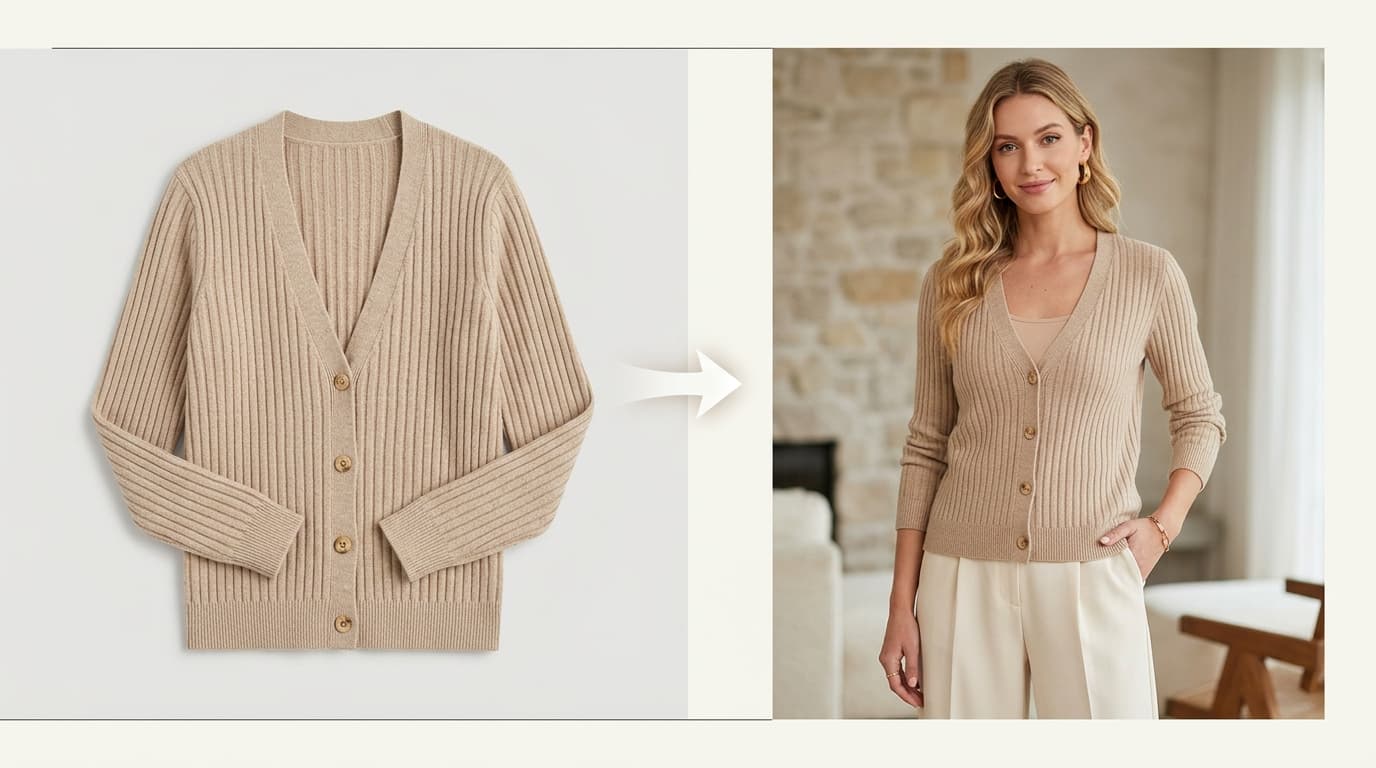
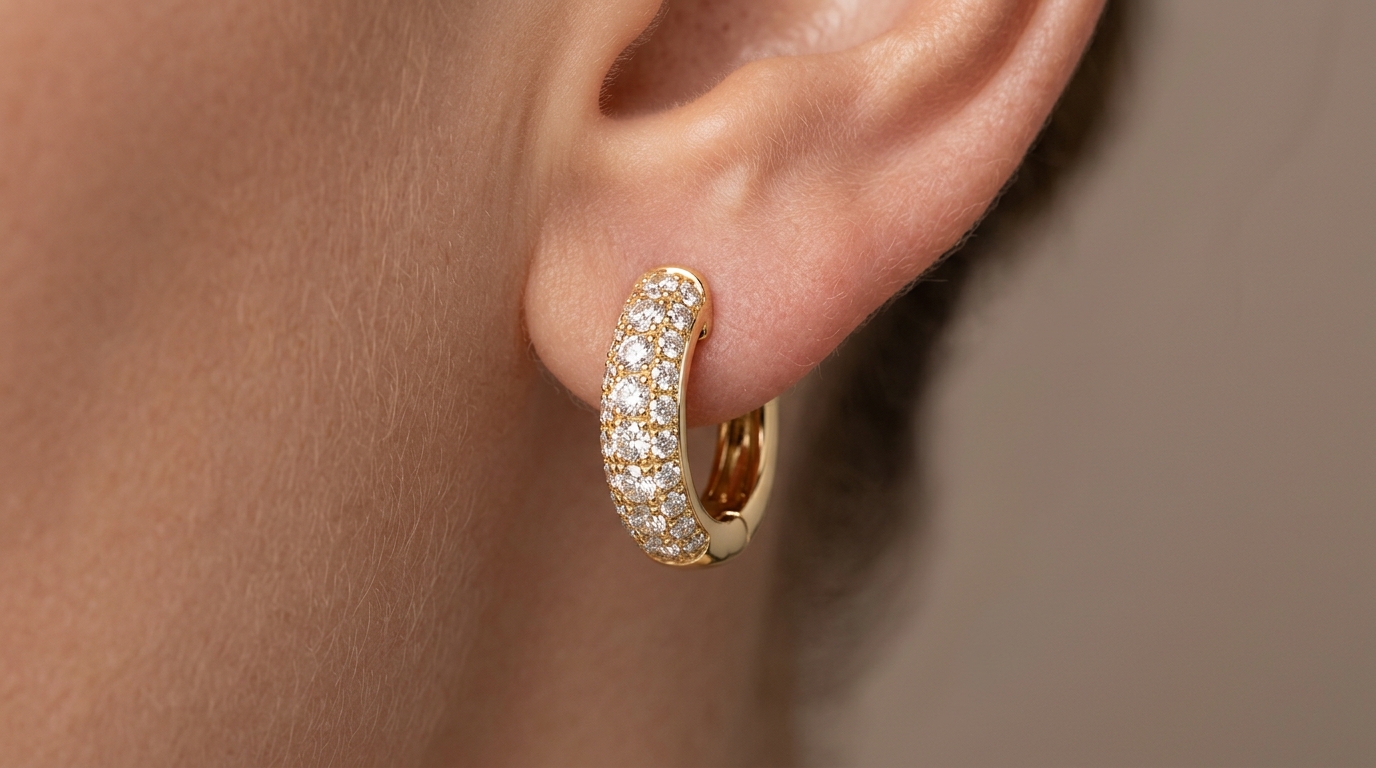 Diffused studio lighting and reflection control on gold and gemstone earrings
Earrings on models by product type
Different earring silhouettes present unique visual challenges that require tailored framing:
Stud earrings
Because studs are compact (often 3mm to 8mm), they easily disappear in full-face shots. Use tight, high-resolution crops focused on the earlobe so shoppers can clearly inspect prong settings, stone clarity, and post placement.
Hoop earrings
A straight-on front angle turns hoops into thin vertical lines. Always shoot hoops at a three-quarter or profile angle to communicate their true diameter, tube thickness, and latch mechanism.
Drop and dangle earrings
Capture the full drop length from the earlobe down. Avoid cropping the bottom tip of the earring or letting it blend into a dark collar or textured clothing.
Huggies
Huggies are designed to sit snugly against the earlobe. High magnification is necessary to demonstrate their tight inner diameter, hinge closure, and any channel-set stones.
Statement earrings
Bold, architectural earrings need breathing room. Frame the shot wide enough to show the relationship between the jewelry, neck, and shoulders without turning the image into an overpowering fashion beauty portrait.
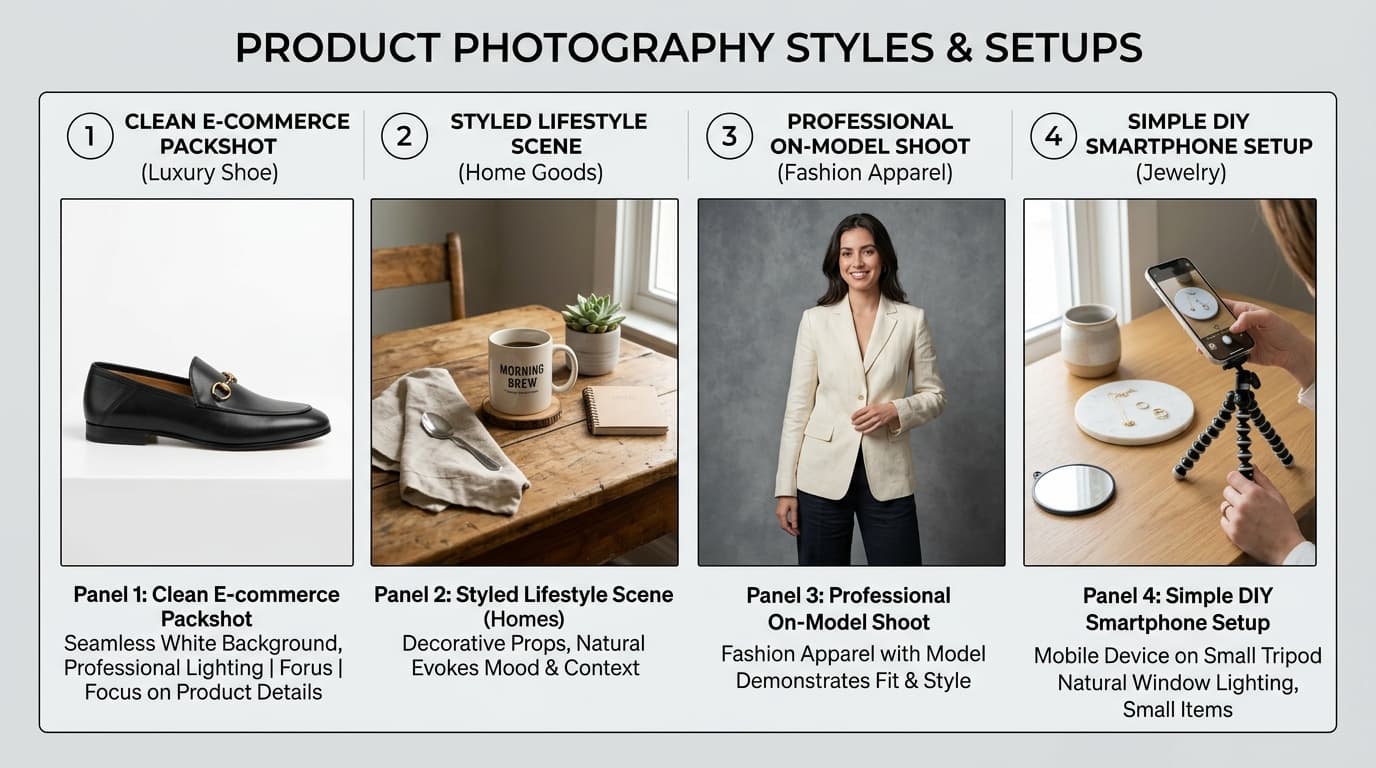
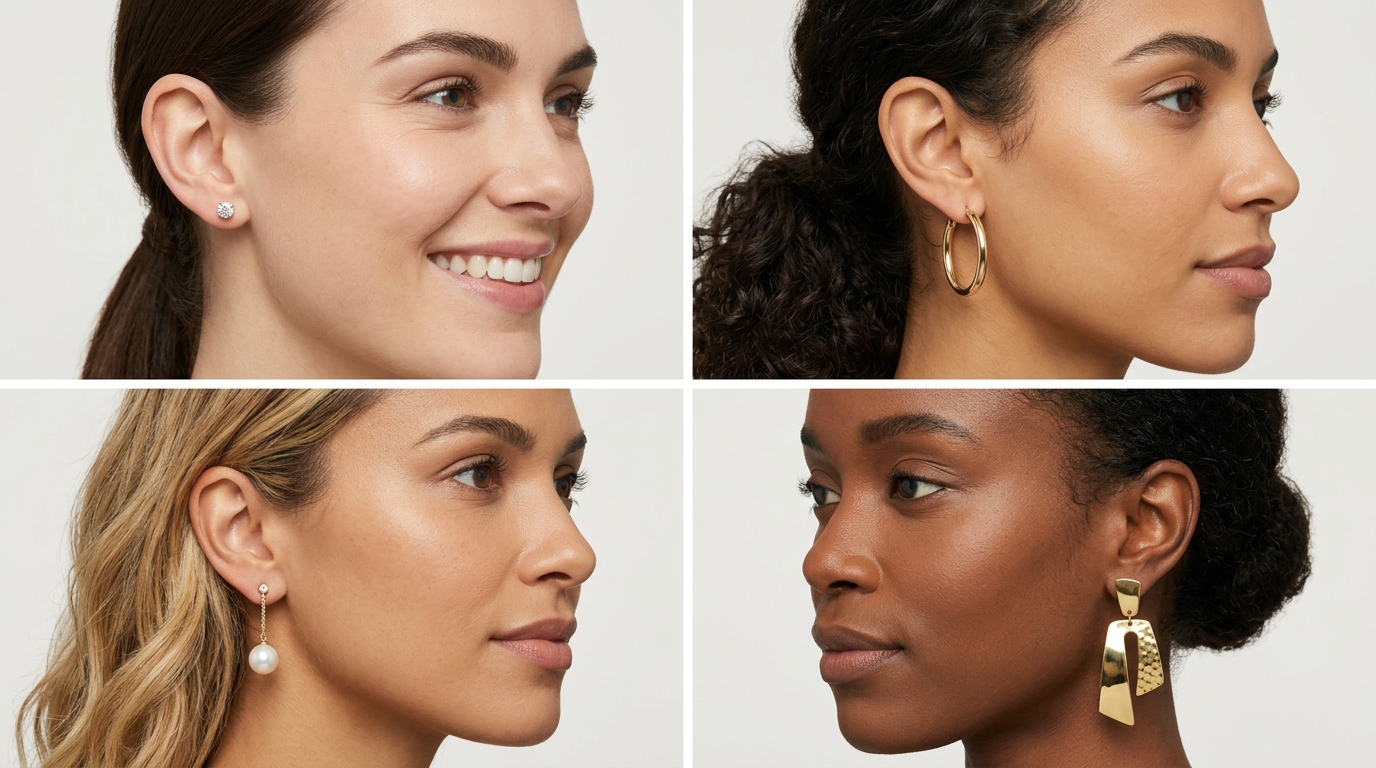 Different earring styles on models: studs, hoops, drop earrings, and statement jewelry
How to show earring size clearly
Written product descriptions like "Diameter: 22 mm, Drop: 38 mm" are essential for technical accuracy, but numbers alone fail to create an intuitive emotional connection. The human ear and jawline provide a universally understood visual ruler.
To maximize clarity:
- Always pair written dimensions directly with the on-model photo.
- Keep model proportions realistic—avoid extreme wide-angle lenses (under 50mm) that exaggerate perspective and make earrings appear artificially large.
- Keep the crop consistent across your entire catalog so a 15mm hoop visibly looks smaller than a 30mm hoop in collection listing grids.
Traditional photography vs. AI-assisted earring model photography
High-end jewelry brands traditionally rely on dedicated model shoots. However, producing custom on-model photography for hundreds of SKUs introduces heavy operational friction:
| Production Factor | Traditional Jewelry Model Shoot | AI-Assisted Jewelry Production (Shotinger) |
|---|---|---|
| Model Casting & Booking | $800–$2,500/day for specialized hand/ear models | 120+ pre-built diverse AI jewelry models |
| Equipment & Studio | High-end macro lenses, specialized light diffusers, studio rental | Standard product packshot serves as complete input |
| Turnaround Time | 2 to 4 weeks (booking, shooting, retouching) | Under 60 seconds per render |
| Catalog Scaling | High linear cost per additional SKU | Batch generation across multiple models and skin tones |
| Product Fidelity Standard | Direct physical capture | Strict quality check required on stone count and metal color |
The non-negotiable rule in AI-assisted jewelry photography is product fidelity. The generated model output must preserve the exact silhouette, metal hue, prong settings, and gemstone count of your original piece.
How to create earring model photos at scale
For fast-growing jewelry retailers and multi-brand marketplaces, scaling on-model content requires a repeatable production system:
- Establish visual standards: Define fixed aspect ratios (1:1 for Shopify, 4:5 for Instagram, 1:1 pure white for Amazon).
- Batch by category: Group all huggies, stud earrings, and hoops into separate workflows to maintain consistent magnification levels.
- Use high-resolution source packshots: Upload clean, high-contrast product photos shot on white or neutral backgrounds.
- Represent diverse skin tones: Generate variations across fair, medium, olive, and deep skin tones so every customer can visualize the jewelry on themselves.
- Enforce quality control: Verify that prongs, stones, and clasp details match the physical SKU before pushing assets to live storefronts.
Using earrings on models for Shopify, Amazon, and Etsy
Different sales channels enforce distinct image guidelines:
- Shopify Storefronts: Feature a clean packshot or hero model view as the primary image, followed immediately by an on-model placement shot, macro close-up, and lifestyle look.
- Amazon Listings: Amazon strictly requires pure white backgrounds (
#FFFFFF) with no models or text for the primary main image. Use on-model earring photos in secondary gallery slots (positions 2 through 7) and A+ content to demonstrate scale and reduce returns. - Etsy: Lifestyle and on-model cover photos perform exceptionally well in Etsy search grids. Ensure your images comply with Etsy's transparency guidelines regarding product representation.
Common problems to avoid
Avoid these six frequent pitfalls when creating on-model earring photography:
- Jewelry drowned out in the frame: Framing the model too wide leaves the earring occupying less than 5% of the total pixels.
- Hair obstructing the product: Loose curls or flyaway strands crossing over the earring look sloppy and obscure fine craftsmanship.
- Uncontrolled specular glare: Harsh reflection hotspots that wash out gemstone facets or make gold look like plastic chrome.
- Altered gemstone details: In AI workflows, always inspect stone count, facet symmetry, and prong structure to prevent generative hallucinations.
- Model overpowering the jewelry: Dramatic makeup, intense eye contact, or busy patterned clothing stealing visual hierarchy from the earring.
- Inconsistent lighting across SKUs: Mixing warm tungsten-lit shots with cool daylight shots confuses collection pages.
How Shotinger fits into your jewelry workflow
For jewelry and accessory brands, the core challenge is not generating a single striking picture—it is producing a cohesive, scalable visual library across an entire collection.
With Shotinger Jewelry & Accessories, you can upload a single high-resolution earring photo and instantly:
- Place it accurately onto diverse AI jewelry models with precise earlobe positioning.
- Select from 20+ studio and lifestyle scenes without booking locations or talent.
- Control model poses, expressions, and lighting angles to match your brand book.
- Expand beyond jewelry with dedicated tools for AI Product Studio, AI Fashion Models (Apparel Lifestyle), and full catalog production using our comprehensive Clothing Photography Guide.
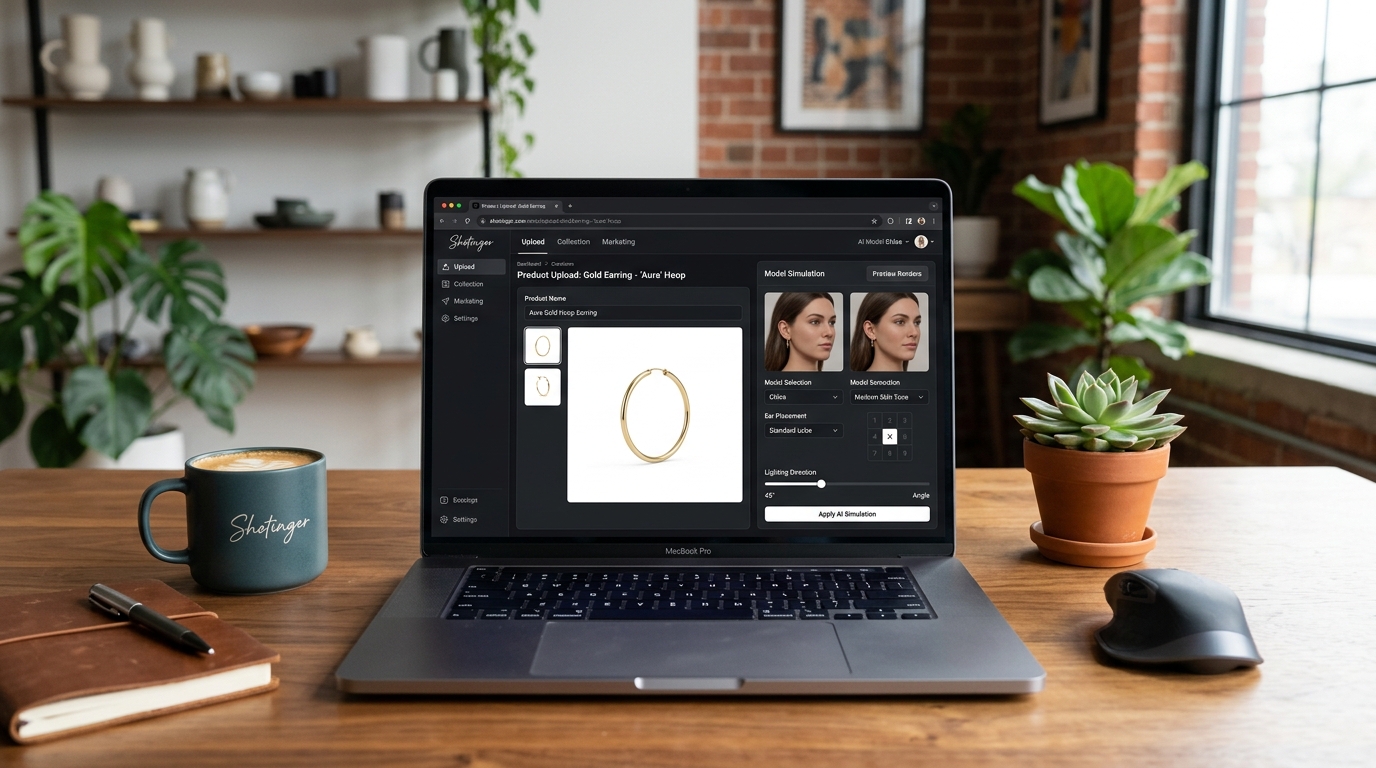 Shotinger Jewelry and Accessories AI editor for on-model earring photography
Frequently asked questions
What are earrings on models?
Earrings on models are commercial product photographs that show earrings being worn on a human ear, framed specifically to communicate scale, placement, silhouette, and wearability.
Why should ecommerce brands use model photos for earrings?
They provide an immediate real-world reference for size and placement that standalone product-only packshots cannot convey, significantly boosting buyer confidence and reducing return rates.
What camera angle works best for earrings?
Three-quarter and profile angles are the most effective because they showcase the full diameter of hoops, the drop length of pendants, and how studs sit flush on the earlobe.
Should product photos and model photos both be used?
Yes. Product-only shots provide an objective view of craftsmanship, materials, and backings, while on-model photos answer questions about scale, styling, and real-life appearance.
Can AI generate realistic earrings on models?
Yes. Advanced specialized platforms like Shotinger Jewelry & Accessories can place earring source photos onto photorealistic models with accurate scale, natural skin interaction, and controlled lighting.
How many images should an earring product page have?
A high-converting product page typically features 4 to 6 images: one clean hero packshot, one close-up on-model placement view, one macro detail shot, one secondary profile angle, and one contextual lifestyle image.
Final e-commerce earring checklist
Before publishing your next jewelry drop, verify your gallery against this 10-point checklist:
- Source product photo is sharp, color-accurate, and free of dust or fingerprints
- Earring scale is immediately apparent without requiring a ruler
- Ear and earlobe are fully visible with hair styled neatly away
- Metal finishes show soft, controlled reflections rather than harsh white blowouts
- Gemstone facets, prong settings, and colors are crisp and true to life
- Model styling and makeup remain subtle and product-focused
- Framing, crop, and color temperature are standardized across the collection
- Each gallery photo performs a distinct informational role
- All AI-assisted model outputs have been manually inspected for product fidelity
- Image assets comply with specific channel requirements (Shopify, Amazon, Etsy)
Ready to upgrade your jewelry photography?
Transform your flat packshots into photorealistic on-model earring photography in minutes.
Explore Shotinger Jewelry & Accessories →
Start creating campaign-ready product visuals
Transform flat lays, packshots, and jewelry photos into photorealistic on-model imagery in under 60 seconds.